How to Design and Print Personalized DIY Gift Tags Easily
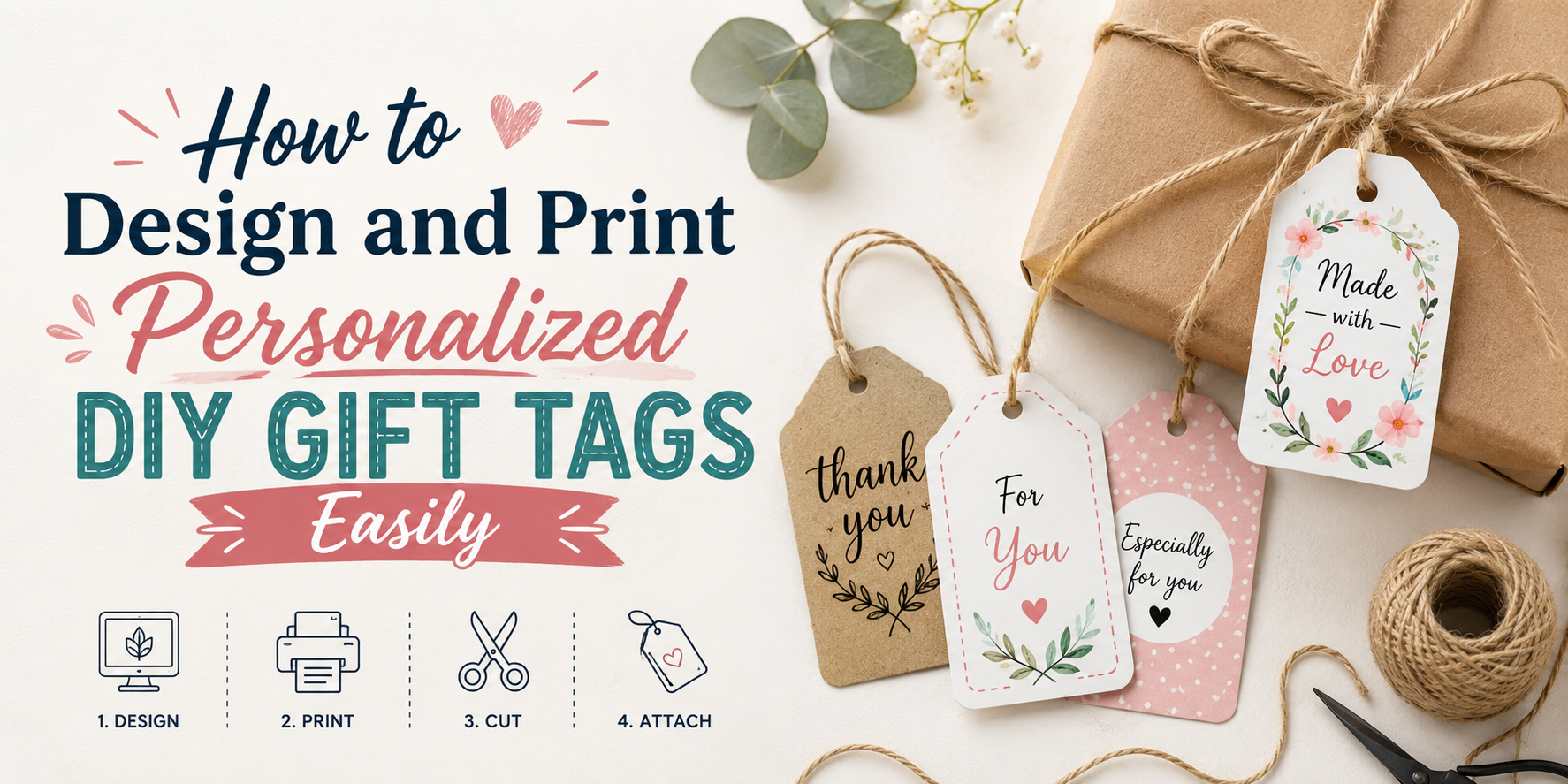
Gift tags often look plain and rushed. Many people want a better way to make them at home. Designing your own tags gives control over style, size, and message. You can match them with any gift for a personal touch.
The process is simple and saves time. Next, follow a clear guide to start designing. Read the steps to design and print your own gift tags. This guide shows each stage from start to finish. You will learn design choices, printing options, and finishing tips. Each part helps improve the final look of your tags. Simple steps make the process easy to follow.
What Are Gift Tags and Why They Matter
Gift tags are small labels placed on presents. They usually show a name or a short message. Some are plain. Some have designs or colors. A gift tag helps people know who the gift is for. It also shows who gave it. This makes gift giving more personal.
A simple tag can change how a gift feels. A plain box feels basic. Add a tag with a name or note, and it feels more thoughtful. Gift tags also help during group events. At parties or holidays, many gifts can look the same. A tag helps avoid confusion. Some people use gift tags to add short notes. A few kind words can make the moment more special.
Best Tools for Designing Gift Tags (Free & Paid)
Gift tag design starts with the right tool. Some tools work in a browser. Some work on a computer. Others work on a phone. Each one gives simple ways to build clean designs. Canva is a common choice. It runs in a browser and on mobile. It has ready layouts for gift tags. You can add text, shapes, and simple images. The drag and drop setup keeps things easy.
Adobe Express also helps with quick designs. It offers templates and basic editing tools. Text editing is simple. Layout changes take little effort. Microsoft Word works for basic tag design. It has shapes, text boxes, and page setup options. It is useful for simple printable tags without extra features. Google Drawings is another free option. It gives a blank space to build a tag from scratch. Shapes and text tools keep the process simple.
For more control, Adobe Illustrator is a paid tool. It gives full design freedom. It works well for detailed or custom shapes. It takes more time to learn. CorelDRAW is another paid option. It supports precise layout work. It is often used for print-ready designs. Each tool fits a different need. Some are quick and simple. Others give deeper control for detailed work.
Step-by-Step Guide to Designing and Printing Gift Tags
Making your own gift tags gives each present a personal touch. It also lets you match the tag style with the gift theme. The process is simple and fun. You only need a few tools and a clear idea of your design. Now let’s go step by step.
Step 1: Choose a Design Tool or Template
Start with a design tool on your computer or phone. Many free tools offer simple layouts made for tags. A blank page also works if you want full control. Templates save time and help you stay organized.
Pick one that feels easy to use. Look for basic drag and drop features. This helps you place text and shapes without stress. A clean setup makes the rest of the work smoother.
Step 2: Select the Right Size and Layout for Gift Tags
Gift tags come in many sizes. Small tags work well for light gifts. Bigger tags fit boxes or bags with more space. Pick a size that matches your wrapping style.
Think about shape too. Rectangles give more writing space. Circles feel soft and simple. Square tags look neat and modern. Leave enough empty space so the design does not feel tight.
Step 3: Customize with Names, Colors, Fonts, and Icons
Add the name first. This makes the tag feel personal right away. Keep the text clear and easy to read.
Choose colors that match the gift paper or bag. Soft colors work for calm themes. Bright colors add energy. Fonts should stay simple so the message stands out.
Small icons can add charm. Stars, hearts, leaves, or simple shapes work well. Do not add too many, or the tag can look crowded.
Step 4: Add Creative Elements to Enhance the Design
Now you can add small design touches. Borders can frame the tag and make it look neat. Light patterns can fill empty space without making it busy.
You can also layer shapes behind the text. This helps the name stand out. Keep spacing balanced so every part has room.
A small message can also be added. Short phrases like “Best Wishes” or “For You” work well. Keep it short so the main name stays the focus.
Step 5: Prepare the File for Printing
Check everything before printing. Look at spelling, spacing, and alignment. Even small mistakes can stand out after printing.
Set the file size to match your paper. A common option is A4 or letter size. Make sure margins are even on all sides.
Save your file as a PDF. This helps keep the layout fixed. It also helps avoid shifts during printing.
Step 6: Print Your Gift Tags at Home or Print Shop
A home printer works well for small sets. Use thicker paper for a stronger feel. Regular paper can bend too easily.
Check print settings before you start. Set quality to high for sharper results. Print a test page first to see how it looks.
A print shop is helpful for large batches. They can also print on special paper types. This can give a more polished look.
Step 7: Cut and Finish the Gift Tags
Cut each tag carefully along the edges. A paper cutter can help keep lines straight. Scissors also work fine for simple shapes.
Make a small hole at the top if you plan to tie them. Use a hole punch for clean circles. Add ribbon, string, or twine through the hole.
Attach each tag to the gift. Adjust it so it sits neatly. Now each present carries a personal touch.
Creative Ideas for Personalized Gift Tag Designs
Gift tags can feel small. They still add meaning to a present. A few simple design choices can change the whole look. Names can be the main focus. A clean layout with the receiver’s name makes the tag feel personal. Large letters work well for this style. Photos also work well on tags. A small picture adds a personal touch. It can be a memory or a simple portrait.
Color choice sets the mood. Soft colors give a calm feel. Bright colors bring more energy to the gift. Shapes can change the style too. Round, square, or heart shapes each give a different look. Simple cuts keep the design neat. Handwritten notes add warmth. Short messages feel direct and personal. A few words are often enough.
Small stickers or icons can fill empty space. Stars, flowers, or simple symbols keep the design fun without making it busy. A plain design also works well. Clean space around text makes the tag easy to read and neat in style.
Common Mistakes to Avoid in Gift Tag Design
Gift tags seem small, yet they carry a lot of meaning. Small choices can change how they look and feel. Some simple mistakes can make them hard to read or less appealing. Text size often causes problems. Very small letters are hard to read. Very large letters can feel crowded. A clear and balanced size helps the message stand out.
Color choice matters too. Light text on a light background blends together. Dark text on a dark background does the same. Strong contrast between text and background keeps words clear. Font choice also plays a big role. Fancy fonts may look nice at first. Some are hard to read once printed. Simple fonts keep the message easy to understand. Too much information can crowd the space. A gift tag does not need long sentences. Short names or simple messages work better. Extra space helps the design feel clean.
Alignment mistakes can also distract the eye. Uneven spacing or off-center text looks messy. A neat layout keeps everything in place. Paper quality affects the final result. Thin paper can wrinkle or tear. Thick paper holds ink better and feels more solid. A little planning helps avoid these issues. Clear design choices lead to gift tags that look neat and easy to read.
Tips for Making Professional-Looking DIY Gift Tags
Clean design makes a big difference. Simple choices help your tags look neat and clear. Start with a strong layout. Keep space around your text. Do not crowd the design. Empty space helps each part stand out. Pick one or two fonts. Too many fonts make the tag look messy. A mix of a simple font for names and a clean font for details works well. Use clear color contrast. Dark text on light backgrounds is easy to read. Light text on dark backgrounds also works well. Avoid colors that blend too much.
Add small design elements. Tiny shapes, lines, or icons can support the message. Keep them small so they do not take attention away from the name. Print on thicker paper. Regular paper can bend and tear easily. Cardstock gives a stronger and cleaner finish. Cut edges with care. Straight cuts or soft rounded corners both work. Clean edges help the tag look polished. Test a single print first. This helps check spacing, color, and size before making a full set.
DIY Gift Tag Printing Tips for Best Quality
Clear prints start with good design files. Use sharp images and readable text. Blurry graphics can make tags look unclean and hard to read. Paper choice matters a lot. Thick paper or cardstock holds ink better than thin paper. It also keeps the tag strong after cutting and handling. Size setup in the design file should match the final tag size. A wrong size can stretch or shrink the design. That can affect layout and spacing. Printer settings play a big role. Select high print quality in the settings menu. This helps text stay sharp and colors stay even.
A test print on plain paper helps spot layout issues. It shows spacing, margins, and color balance before the final print on cardstock. Ink needs time to settle. Fresh prints can smudge if handled too soon. Place the sheets flat and give them a short rest before cutting. Cutting tools also affect the final look. Sharp scissors or a craft cutter give clean edges. Uneven cuts can make even a good design look rough.
Final Words
Gift tags change how a present feels. A plain gift becomes more personal with a name or short note. Small design choices shape the full look.
Good tools, clear layout, and proper print settings make the process easier. Clean spacing, readable text, and strong paper improve results. Careful cutting and neat finishing give the tags a polished look.
Simple choices often lead to better results. A clear design, short message, and steady printing process help each tag look ready for any gift.
FAQs:
What paper works best for gift tags?
Cardstock works well. It is thick and strong. It holds ink better than thin paper.
Can gift tags be made without design skills?
Yes. Simple tools make it easy. Templates help with layout and text.
What size is best for gift tags?
Small sizes work for light gifts. Medium sizes fit most boxes and bags. The size should match the gift space.
Can a home printer handle gift tag printing?
Yes. A home printer works for small sets. High print settings give better results.
How can gift tags look neat and clean?
Simple layouts work best. Clear text, good spacing, and light design details help a lot.
What problems should be avoided during printing?
Low quality settings can blur text. Thin paper can wrinkle. Wrong size setup can affect layout.
Do expensive tools matter for making gift tags?
No. Free tools work well for basic designs. Paid tools help with advanced control, but they are not required.