How to Create Adorable Kids T-Shirts with Easy Edits for DTF Printing
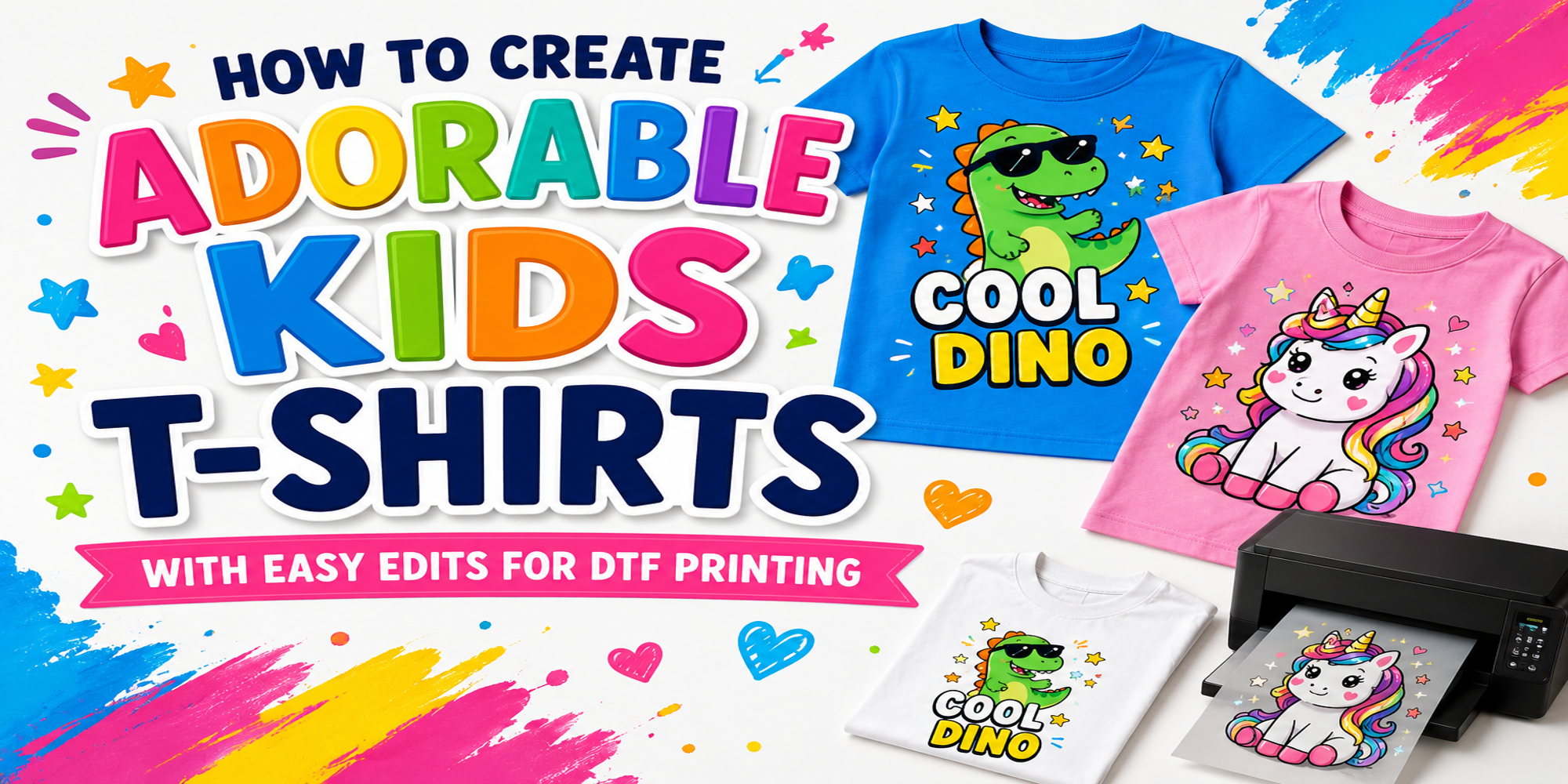
Creating cute kids’ t-shirts for DTF printing can feel hard at first. Many designs look too plain, while others need long editing work. Small mistakes with colors, text, or artwork can also affect the final print quality. That often leaves beginners frustrated and unsure about the next step.
This guide makes the process much easier. You will learn how DTF printing works, why it suits kids’ shirts, and how to edit designs with simple tools. The article also shares fun design ideas, fabric tips, artwork setup steps, and ways to market your shirts. By the end, you will have clear ideas for making bright, fun, and print-ready kids’ t-shirts with less effort.
What Is DTF Printing?
DTF printing stands for Direct-to-Film printing. It is a way to place designs on fabric with bright colors and clear details. The design is printed on a special film first. After that, it moves onto the t-shirt with heat and pressure. This method works well for kids’ t-shirts. Small drawings, cute animals, fun letters, and colorful shapes can look sharp and clean on fabric. Even tiny details stay clear after printing.
Another good part is flexibility. You can edit a design, change colors, or add names without making the process hard. That helps you create fun shirts for birthdays, school events, family trips, or daily wear. Soft fabrics also pair nicely with DTF printing. Kids can move, play, and stay comfortable while wearing the shirt. The print stays smooth and colorful after many washes.
Why DTF Printing Is Perfect for Kids’ T-Shirts
DTF printing works well for kids’ T-shirts. It keeps designs clear and easy to wear. The prints stay bright and hold up after many washes.
Bright and Vibrant Colors
DTF printing shows strong and clear colors. Kids’ designs often use fun shapes and bold art. These colors stay sharp on the fabric. The shirt keeps its fresh look even after use and washing.
Soft and Durable Prints
The print feels smooth on the shirt. It does not feel thick or heavy on the fabric. Kids can wear the shirt all day without discomfort. The design also stays in place after repeated washing and regular use.
Suitable for Different Fabric Types
DTF printing works on many fabric types used for kids’ shirts. Cotton blends and other common materials hold the print well. This makes it easier to use the same method for different shirt styles and sizes.
Choosing Adorable Design Ideas
Kids t-shirts need simple and fun designs. The goal is to make them feel playful and easy to wear. Small details can make a big difference in how the shirt looks.
Cute Animal Themes
Animal designs always catch attention. Kids like bears, cats, dogs, and rabbits. Soft shapes and friendly faces work best. Bright colors help the design stand out on fabric. Simple outlines also print well with DTF printing.
Cartoon-Inspired Graphics
Cartoon style designs feel fun and lively. Bold lines and clear shapes work well on t-shirts. Characters with big eyes and happy expressions are easy for kids to enjoy. Keep the design clean so it prints clearly on fabric. Avoid too many small details.
Funny Quotes and Sayings
Short and funny text can make a shirt more exciting. Simple words work better for young readers. A playful line with a fun font adds personality. Keep the message short so it stays readable after printing. Pair the text with a small icon for balance.
Birthday and Holiday Designs
Special day designs are always popular. Birthday themes can include cakes, balloons, and gifts. Holiday designs can match seasons or celebrations. Bright colors and simple shapes work well for these moments. Each design should feel joyful and easy to understand.
Best Tools for Easy Design Editing
Design work for kids T-shirts needs clear and clean edits. DTF printing shows small details, so every change matters. The right tools make the process smoother and help keep designs sharp.
Canva for Beginners
Canva works well for simple design tasks. The layout is simple and clear. Users can move elements, change text, and adjust colors in a short time. It supports ready-made shapes and fonts. This helps in building fun kids T-shirt ideas without complex steps. Small edits can be done quickly. Text size changes, color swaps, and basic layering stay simple inside the tool.
Photoshop for Advanced Edits
Photoshop handles deeper design work. It gives more control over layers, edges, and image details. This helps in creating high-quality artwork for DTF printing. Designers can clean up images, fix small flaws, and adjust fine details. It also supports precise color control, which helps printed shirts look closer to the original design. The workflow takes more time compared to simple tools, but the level of control is much higher.
Mobile Apps for Quick Design Changes
Mobile apps work well for fast edits. Many apps support basic design tools like text editing, cropping, and color changes. These apps help during short design updates. A quick idea can be tested in minutes. Many also include templates that fit kids T-shirt styles. Small changes can be made on the go. This helps when working away from a computer.
Easy Editing Techniques for Kids’ T-Shirt Designs
Kids’ T-shirts should feel fun and simple. Small edits can change the whole look. You do not need complex tools or skills. A few clear steps can shape a cute design for DTF printing.
Adding Playful Typography
Text can make a shirt stand out. Pick short words or names. Use rounded and soft fonts. Bold letters work well for kids. Keep spacing clear so the words are easy to read. Try mixing sizes for a fun look.
Using Bright and Pastel Colors
Color sets the mood of the design. Bright colors feel energetic. Pastel colors feel soft and calm. Both work well for kids’ shirts. Avoid too many colors in one design. Two or three shades often look best.
Adding Fun Elements Like Stars and Hearts
Small icons can add charm. Stars, hearts, clouds, and simple shapes work well. Place them around the text or near the edges. Do not crowd the design. Leave space so each element stands out.
Personalizing with Names and Ages
Personal details make the shirt special. Add a child’s name in the center or bottom. Include age in a small spot. Keep the layout clean so it does not feel busy. This step makes each shirt feel made just for them.
DTF vs UV DTF Comparison
DTF and UV DTF are often confused. Both use film for printing designs. The main difference comes from where each one works best. One is made for fabric. The other is made for hard surfaces.
DTF works well for clothing because it stays soft and moves with the fabric. It also holds up after many washes. That makes it a strong choice for kids T-shirts. UV DTF works better for solid items. It sticks to hard surfaces and keeps a sharp look. It is not built for fabric, so it does not perform well on shirts.
Choosing the Best T-Shirt Fabric for Kids
Kids t-shirts need the right fabric. The fabric affects how the shirt feels and how long it lasts. It also changes how well prints show on DTF designs.
Cotton vs Polyester Blends
Cotton feels soft on the skin. It works well for daily wear. It also helps air flow, so kids stay cool. Pure cotton can shrink after washing. It can also wrinkle more easily. Polyester blends mix cotton and polyester. These shirts dry faster. They hold their shape better after washing. Prints can look sharper on polyester blends. Some blends may feel less soft than pure cotton. Each option has its place. Cotton works well for comfort. Blends work well for print quality and shape control.
Comfort and Durability Factors
Comfort starts with softness. Kids need fabric that does not feel rough or heavy. Light fabrics help with movement during play. Durability matters for active use. Kids wash their shirts often. Strong stitching and stable fabric help shirts last longer. Shrink resistance also matters. Fabrics that keep their size make shirts fit better over time. Color hold is another factor. Good fabric keeps prints bright after many washes.
Common Mistakes to Avoid
Small design errors can ruin a kids T-shirt print. DTF printing shows every detail. Clean work matters. Using low quality images is one big problem. Blurry art turns into rough prints. The final shirt looks unclear. Too many colors can cause trouble. Bright designs can lose balance. The print may look messy instead of neat.
Wrong file size creates issues. Small files stretch and lose sharpness. Large files may not fit the print setup. Ignoring the print area leads to cut off designs. Parts of the artwork may not show on the shirt. Skipping a test print can cause surprises. Colors may look different after printing. A quick check helps catch problems early.
Creative Ideas to Sell Kids’ DTF T-Shirts
Kids’ T-shirts sell well when the design feels fun and easy to relate to. Simple themes work best for daily wear, school events, and gifts. Clear designs also print well with DTF and keep colors sharp.
Here are some ideas that can help with sales:
Animal themes: Cats, dogs, dinosaurs, and farm animals stay popular. Cute faces and simple shapes work better than busy details.
Name-based shirts: Add the child’s name in bold text. Short phrases like “Mia’s Shirt” or “Noah Club” feel personal and special.
School and hobby themes: Sports, music, and art designs connect with daily life. A soccer ball, paint brush, or musical note can make the shirt feel fun to wear.
Birthday shirts: Number-based designs work well, like age 5, 6, or 7. Bright colors help the shirt stand out in party photos.
Seasonal designs: Snowflakes, sun shapes, leaves, or rain clouds match different times of the year. Simple icons print clean and look neat on fabric.
Funny short quotes: Short lines like “Snack Time Pro” or “Little Boss” add personality. Keep text large and easy to read.
Clear shapes and bold lines help DTF prints stay sharp. Simple color choices also make production easier and keep designs consistent.
Marketing Tips for Kids’ T-Shirt Businesses
Kids’ t-shirt brands need clear ideas and simple plans. Strong designs help, but good marketing brings buyers. Show your shirts with clean photos. Use plain backgrounds. Let the design stand out. Natural light helps colors look true. Short video clips also help. Show a shirt on a child or a flat lay. Keep clips simple and steady. Focus on the design details. Social posts matter. Share new designs often. Keep captions short and easy to read. Use the same style across posts so people remember the brand.
Seasonal themes bring attention. Holidays, school events, and summer breaks all work well. Create designs that match these moments. Bundles can increase sales. Pair matching family shirts or sets for siblings. Clear pricing helps parents decide quickly. Customer feedback builds trust. Share real photos from buyers. Show honest reactions. This helps new customers feel more confident. Simple branding ties everything together. Use the same colors, fonts, and tone across all materials. This makes the business feel steady and clear.
Final Verdict
DTF printing fits well for kids T-shirt designs. It keeps colors bright and details clear on fabric. Simple edits using basic tools can shape clean and fun artwork. Cotton and blend fabrics both support strong print results. Clean files, balanced colors, and correct sizing prevent common printing problems. Simple themes like animals, names, and birthdays work well for sales.
FAQs:
What is DTF printing for kids T-shirts?
DTF printing moves a design from film to fabric using heat. It keeps colors clear on shirts.
What fabrics work best for DTF kids shirts?
Cotton and polyester blends work well. They hold prints and stay comfortable.
Do DTF prints feel heavy on shirts?
No. The print feels smooth and light on fabric.
Do DTF prints last after washing?
Yes. The print stays strong after many washes with normal care.
What design styles work well for kids shirts?
Animal art, names, birthdays, and short text designs work well.
Which tool is good for simple design edits?
Canva works well for quick changes like text, colors, and shapes.
What mistakes should be avoided in DTF designs?
Blurry images, wrong file size, and too many colors can reduce print quality.
Can DTF printing be used for small custom orders?
Yes. It works well for small batches and personal designs.