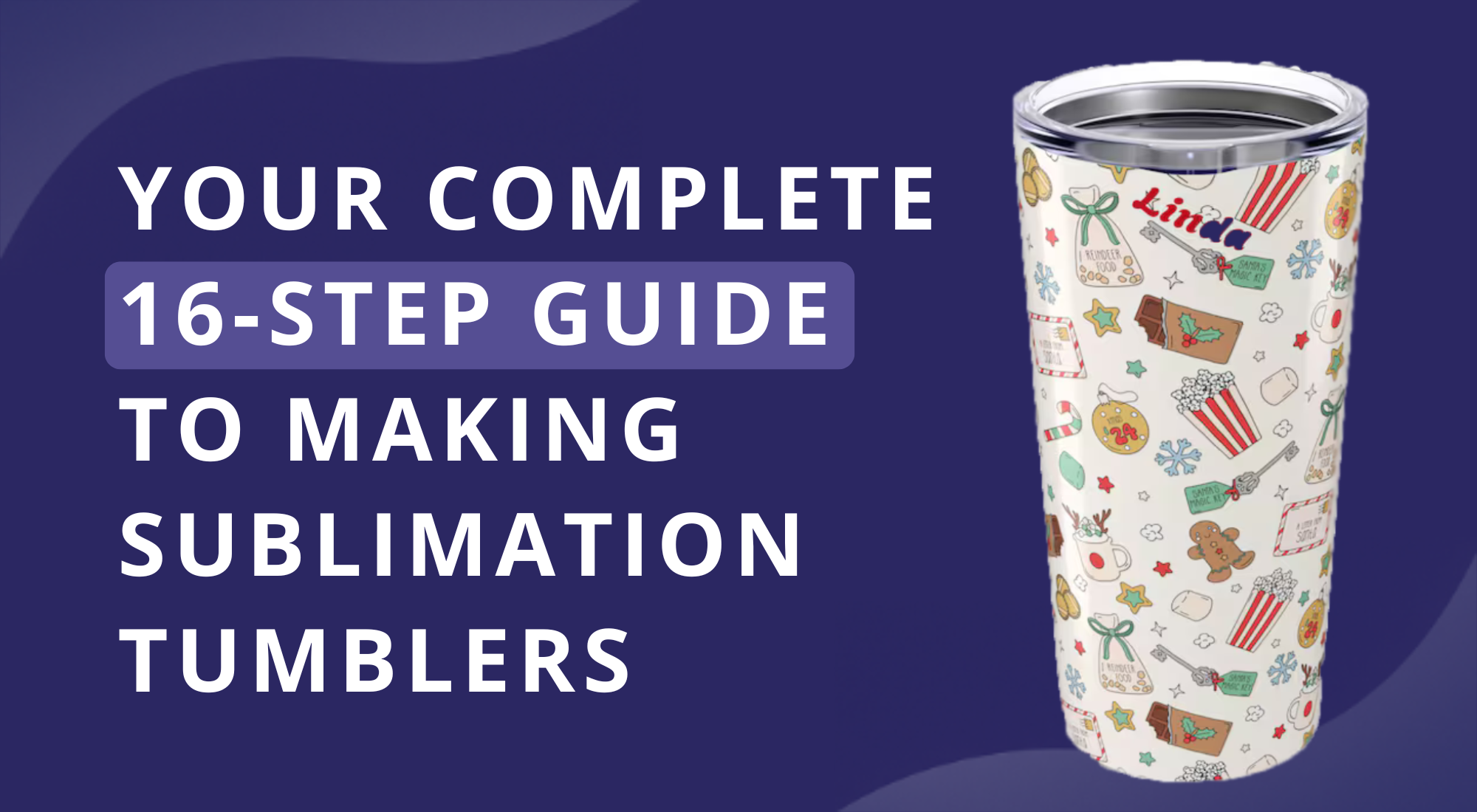
Your Complete 16-Step Guide to Making Sublimation Tumblers
Struggling to get perfect designs on your sublimation tumblers? Many beginners end up with uneven prints or faded colors.
Small mistakes in preparation or printing can ruin hours of work. Knowing the right steps makes a huge difference and saves time and frustration.
This 16-step guide walks you through every part of the process, from choosing designs to applying them flawlessly. You will learn how to get crisp, vibrant results on every tumbler, even if it’s your first try.
Follow along, and by the end, you’ll have the confidence to create professional-looking sublimation tumblers with ease.
What Is A Sublimation Tumbler?
A sublimation tumbler is a drink container that lets you add custom designs using heat. It usually has a special coating that holds sublimation ink. When the design is heated, the ink turns into gas and bonds with the tumbler’s surface. This creates a permanent, vibrant image that won’t peel or fade easily. Sublimation tumblers are popular for personal gifts, business products, and creative projects because you can make them truly unique.
How Do You Sublimate On A Tumbler?
Sublimating on a tumbler means transferring a design onto its surface using heat. The process starts with printing your design on special sublimation paper. Next, you wrap the paper around the tumbler and secure it tightly with heat-resistant tape. Then, you apply heat using a mug press, heat gun, or oven designed for sublimation. The heat turns the ink into gas, which embeds the design into the tumbler’s coating. After cooling, the design becomes permanent and resistant to washing.
Supplies Needed To Sublimate On Tumblers
Before starting, gather all the materials required for tumbler sublimation. Having everything ready makes the process smoother and helps avoid mistakes. You will need:
- A design file: We’ll discuss how to get one or make your own in the next section
- Sublimation tumbler blanks: Objects designed specifically for sublimation
- Sublimation printer: You can get a specialized printer or convert your own
- Sublimation ink: Specialized ink (also called sublimation dye) for printing transfers
- Sublimation paper: Used to print your transfer sheets
- Heat-resistant tape: Secures the transfer tightly onto the tumbler
- Heat-resistant gloves: For handling hot tumblers from the oven or press
- Well-ventilated room: Keeps the air clean while sublimating
- Sublimation oven or heat press: Used to sublimate the tumbler; beginners may prefer a sublimation oven
- Blank sublimation tumbler (white or silver)
- Lint roller, clean cloth, and alcohol for cleaning the tumbler
- Scissors or cutter and cutting mat board
- Ruler or tape measure
- Sublimation wrap
Step-By-Step Guide On How To Make Sublimation Tumblers
Creating custom sublimation tumblers can be a fun and rewarding project. This guide will walk you through all the essential steps to turn plain tumblers into unique, eye-catching designs. Keep reading to follow each point and start making your own personalized creations.
Step 1: Measure Your Tumbler
Getting accurate measurements is key to creating a tumbler wrap that fits perfectly. Start by measuring the circumference using a soft tape measure, wrapping it around the middle for the width. Next, measure the height from top to bottom. Some tumblers have slight tapers or curves, so note these to adjust your design for a smooth fit. Using the correct measurements ensures your wrap covers the tumbler fully without gaps or distortion. Writing down these numbers can help with future projects. You can also check a tutorial video for a visual demonstration.
Step 2: Prepare the Design
Before you start, take a moment to explore what’s already out there. Unique and colorful tumbler designs are all over Facebook Groups, online design communities, and craft forums. Browsing these spaces can spark ideas and help you see what’s possible with sublimation tumblers.
When it comes to preparing your design, you have two main options:
Use pre-made designs or templates
If you want to save time or need inspiration, pre-made designs and templates are a great choice. Sites like ArtBubbles.com offer thousands of free sublimation designs suitable for commercial use. You can browse categories, find patterns, and even download complete wraps to fit common tumbler sizes. Using templates can also simplify the process of aligning your design for a seamless look.
Create your own design
For a more personalized touch, you can design your tumbler from scratch. Any sublimation-friendly software works, from Adobe Illustrator and Affinity Designer to Canva. Start by matching your design to the tumbler dimensions. Make sure the width and height cover the entire tumbler, leaving a small overlap at the edges to prevent white lines. This step ensures that your final print wraps perfectly around the tumbler without gaps.
To make your design seamless, keep a few tips in mind:
- Use solid colors, gradients, or stripes: These are the easiest to wrap around a tumbler. A gradient or stripe pattern allows the edges to overlap without creating a visible seam.
- Experiment with repeating patterns: Designs like argyle, plaid, or geometric repeats take a little trial and error. Adjust the size and alignment until the edges match perfectly at the seam.
- Try the white seam option: If your design has two matching white edges or same-colored edges, the seam naturally blends. You can add a gradient, ripped-edge effect, or subtle design element to disguise the meeting point.
Once your design looks just right and wraps seamlessly, you’re ready to move on to printing. With a prepared design, the next step becomes much easier, and your tumblers are set to look polished and professional.
Step 3: Resize The Design
Getting the size right is one of the most important parts of sublimation since the print becomes permanent once applied. The way you resize depends on whether you plan to cover the entire tumbler or only print a smaller design like a name or logo. Accurate sizing ensures the design wraps smoothly without gaps, stretching, or misalignment.
Here are some practical tips to guide you:
- Full-wrap designs: Check the product description for tumbler dimensions (length and width) instead of measuring manually.
- Logos or monograms: Standard sizes like 2x2” or 3x3” work well for simple prints.
- Precise sizing: Use a ruler or tape measure to measure the printable area for accuracy.
Software tools: Programs such as Silhouette Studio or Canva allow you to match your tumbler’s dimensions digitally to resize without distortion.
Step 4 : Make Your Text the Right Size
Text that looks perfect on your computer screen doesn’t always work well once wrapped around a tumbler. A curved surface can distort the design, and if the text is too wide, it starts wrapping around the sides, making it hard to read straight on. For a standard 20 oz tumbler, keep your main text within three inches in width to maintain clear visibility. Centering the text on the front panel also keeps the message in focus instead of drifting off to the sides. This small adjustment makes your tumbler design look polished and professional.
Step 5: Use the Best Print Settings
Printer settings greatly affect how your tumbler wrap turns out. Always choose the highest print quality and a matte presentation paper setting to ensure even ink application. Use the correct ICC color profile so your printed colors match the design. These steps keep your sublimation vibrant, accurate, and professional-looking.
Step 6: Print Out The Design
This step focuses on transferring your finalized design onto sublimation paper, preparing it for a clean and vibrant transfer. Follow these guidelines to ensure the best results:
- Always mirror your design before printing.
- Print using the highest quality settings on your sublimation printer.
- Use a sublimation-specific printer for the most consistent color and detail; inkjet printers may work but can produce less vivid results.
- Choose high-quality sublimation paper that dries fast and transfers colors vividly. TeckWrap Craft paper is recommended for its ink-saving performance and fade-proof, smudge-proof, and crack-proof results.
Step 7: Mirror Your Image
For beginners, forgetting to mirror a design is a common mistake that can ruin your tumbler wrap. If the image isn’t mirrored, text or directional graphics will appear backward on the final product. To fix this, select “Mirror” or “Flip Horizontally” in your printer settings before printing. For extra help, check a tutorial video that shows this step. Mirroring is especially important for text-based designs, ensuring your words are readable and your tumbler looks exactly as you intended.
Step 8: Double-Check Your Print’s Orientation
Checking your print’s orientation is crucial, especially when working on multiple tumblers. Before taping the design onto the blank tumbler, make sure the top of the print aligns with the top of the tumbler. This simple step prevents mistakes like upside-down prints, saving time and frustration. For added accuracy, mark a reference line with tape or a marker to keep designs aligned across all your projects.
Step 9: Use the Best Tape for the Job
Choosing the right heat-resistant tape is key to a smooth, professional-looking tumbler wrap. Not all tapes perform the same, using the wrong type can cause wrinkles, bubbles, or dark lines on your design. For tumblers without overlapping seams, blue heat-resistant tape works best. For overlapping seams, yellow tape is thinner, flexible, and less likely to leave marks. Always pick tape rated for high temperatures, never regular craft or cellophane tape. Apply it carefully, pressing firmly to avoid bubbles. You can check a tutorial video to see these tips in action.
Step 10: Cut Out The Sides Of The Printed Sublimation Sheet
Trimming the printed sublimation sheet is important to prevent unwanted marks from transferring onto your tumbler. Careful preparation ensures a clean, professional result. Follow these steps for best results:
- Check the sides of the print for streaks or unwanted marks, which can appear with older printers or poorly maintained equipment.
- Cut out any unwanted streaks from the edges of the sublimation paper.
- If there are marks on the actual design, print a new copy to avoid transferring flaws.
- Cut the corners of the paper to remove possible ink marks.
- Measure the trimmed design against the tumbler to ensure the size is correct before wrapping.
- Mark guidelines lightly before cutting to keep straight, precise edges.
This approach keeps your design accurate and ready for a smooth sublimation process.
Step 11: Turn On the Heat Press Machine
This step focuses on heating the press to prepare for sublimation. Follow these instructions carefully to ensure safe and accurate results:
- Turn on the heat press machine and allow it to warm up.
- Time and temperature settings may vary depending on the tumbler and manufacturer instructions.
- Always check the product description and any included heating instructions for your sublimation blanks.
- For stainless steel tumblers, a typical range is 330–350°F for 50–60 seconds.
- Note that clamshell, swing-away, and draw-style machines may have slightly different ways to power on and set settings.
Step 12: Clean The Tumbler
Cleaning the tumbler before sublimation is crucial for a smooth, professional print. Follow these steps to prepare it:
- Ensure the tumbler is free of dust, dirt, and fingerprints.
- Use a lint roller to remove dust and small particles.
- Finish with alcohol and a clean cloth to remove residue.
- Check for scratches or dents that could affect the final design.
Step 13: Transfer the Design to Your Tumbler
Before you start, prepare your design for transfer. Cut it to size, leaving a small edge on all sides. Secure it onto the tumbler using heat tape, making sure the tape only touches the transfer and not the tumbler itself. This helps keep the design in place while heating and prevents it from shifting or wrinkling.
Option #1: Convection Oven Method
Preheat your oven according to your tumbler’s instructions. For example, MakerFlo sublimation tumblers work well at 375°F (190°C) for 5–6 minutes. If your tumbler is lying flat, rotate it halfway through baking to heat evenly. Upright tumblers usually don’t need rotation. Once the time is up, remove the tumbler from the oven and carefully peel off the sublimation paper. If the paper sticks, let it cool slightly or dip it in water to make removal easier.
Option #2: Heat Press Method
Follow your tumbler manufacturer’s instructions for pressing. For instance, MakerFlo tumblers can be pressed at 360–365°F (182–185°C) for 40 seconds. Rotate the tumbler if needed and press again for the same time and temperature. Once done, peel off the transfer paper to reveal your design.
Tips for Choosing the Right Transfer Paper
Not all sublimation papers are equal. Thicker papers with a strong coating hold ink better on curved surfaces and prevent smudging. Some brands work better with certain tumblers, so check the recommendations for your specific blanks. Using the right paper makes your design sharper and reduces errors during transfer.
If you run into problems, don’t worry. Check out a beginner’s guide to common mistakes and solutions. With the right paper, careful taping, and proper heating, your tumbler will come out looking professional and personalized every time.
Step 14: Secure Your Print Tightly
Loose wraps are a main cause of faded or uneven transfers. Make sure your sublimation paper fits snugly against the entire tumbler. Use a clamp and pull heat-resistant tape tightly across the seam, sealing both top and bottom edges. Press the tape with a scraper to remove air pockets. Some crafters use shrink wrap sleeves for extra pressure before using a sublimation oven or tumbler heat press. Always check that the press or oven is at the correct temperature to avoid uneven colors or burns.
Step 15: Rotate Your Tumbler During Heating
Rotating your tumbler halfway through heating prevents hot spots and uneven transfers. If using a convection or sublimation oven, turn the tumbler carefully at the midpoint of the heating time. Wear heat-resistant gloves to protect your hands. Let the tumbler finish heating evenly to avoid scorching or faded areas. For added safety and stability, place the tumbler on a wrap or silicone pad while rotating, keeping it steady and protected from direct heat.
Step 16: Enjoy Your New Tumbler (& Take Good Care of It!)
Congratulations on finishing your sublimation tumbler! Now comes the fun part—using it while keeping it looking fresh. Every brand of tumbler may have its own care instructions, so check the details for your specific product. In general, hand wash only, avoid the dishwasher and microwave, and be careful not to drop it. To keep the design vibrant over time, store your tumbler out of direct sunlight and use gentle, non-abrasive cleaning tools. While a little care is needed, the result is a personalized tumbler that brings joy every day. For extra tips, see our guide to cleaning sublimated tumblers safely.
Bring Your Tumbler Ideas to Life with Sublimation Printing
Sublimation printing opens up endless possibilities for personalizing tumblers. From bold patterns to subtle designs, it lets you turn plain tumblers into unique creations. Learning the techniques behind this process can save time and help you achieve professional-looking results. Exploring different design styles and color combinations can also spark creativity, making every tumbler distinct.
For those looking to expand their skills, a dedicated guide dives deeper into how to bring your tumbler ideas to life with sublimation. It walks through design planning, material selection, and printing tips that ensure each project turns out just right. Following these steps can help you create custom tumblers that stand out and showcase your personal touch.
Conclusion
Following these 16 steps makes creating sublimation tumblers simple and clear. Each stage builds on the last, helping you gain confidence and control over your project. Even beginners can see progress quickly, and the results are satisfying.
With practice, your tumblers will reflect your personal style and attention to detail. Keep experimenting with colors, designs, and techniques. Every tumbler you make is a chance to improve and enjoy the process. Soon, making custom tumblers will feel like second nature.
Read more: How to Make Customer Tumblers?
FAQ:
What is needed to make sublimation tumblers?
You need a sublimation printer, special sublimation ink, heat-resistant paper, and a tumbler coated for sublimation. You also need a heat press or mug press to transfer the design. Gloves and heat tape help with handling the hot tumbler safely.
Is there a way to sublimate a tumbler with a custom message?
Yes, you can create a custom design on your computer, print it with sublimation ink, and use a heat press to transfer it to the tumbler. This works for names, quotes, or any message you want. Make sure the design fits the tumbler size.
Why do my sublimation tumblers look dull?
Dull results usually happen if the temperature is too low, the press time is too short, or the ink didn’t fully transfer. Make sure the tumbler is coated for sublimation and the paper is pressed tightly. Using fresh ink also helps.
Can you wash sublimation tumblers in the dishwasher?
It’s best to hand wash them. Dishwashers can damage the design or coating over time. Use mild soap and a soft sponge to keep the colors bright.
Where do I find sublimation tumbler designs?
You can buy designs from online marketplaces or download free designs from craft websites. You can also create your own using graphic software. Just make sure they are saved in a format your printer can use.
Can you make sublimation tumblers with a Cricut?
Yes, a Cricut can help cut designs for sublimation or create stencils for adding vinyl accents. However, the heat transfer still requires a sublimation printer and heat press. The Cricut mainly helps with the design preparation.
What are the best sublimation printers?
Printers designed for sublimation ink work best, like Sawgrass models or Epson EcoTank printers converted for sublimation. They give bright, long-lasting colors. Make sure the printer supports the size of designs you plan to print.
Can I make and sell sublimated tumblers?
Yes, you can sell them as long as you follow local business rules and respect copyright for any designs you use. Make sure your products are safe and well-made to keep customers happy.
How do I get the best sublimation results?
Use a tumbler coated for sublimation and fresh sublimation ink. Press at the correct temperature and time, making sure the paper is tightly secured. Avoid touching the design until it fully cools.
How long do you leave a sublimation tumbler in the oven?
Sublimation usually isn’t done in a regular oven. Most tumblers need a heat press or mug press to reach the high, even heat required. Using an oven can cause uneven colors or damage the coating.
Can you use a heat gun to sublimate on tumblers?
A heat gun is not recommended because it doesn’t provide even heat. Uneven heat can make the design blotchy or incomplete. A mug press or convection heat press is much safer and more reliable.
Can you epoxy over a sublimation tumbler?
Yes, you can coat a finished sublimation tumbler with epoxy for extra shine and durability. Make sure the sublimation design is fully cured and cool before applying epoxy. Apply thin, even layers to avoid bubbles.
At what temperature should I bake my MakerFlo sublimation tumbler, and for how long?
Check the MakerFlo instructions for exact settings. Most sublimation tumblers need around 400°F for 6–8 minutes in a heat press. Always follow the manufacturer’s guide for the safest, best results.